Assignments, calendars and teachers
A centralized hub to organize courses delivered to companies, manage assignments and archive issued certificates, automating the calendar and coordination between internal and external instructors.
- Mobile responsive
- 100%
- Modular hubs
- 6
- Time saved
- 60%
- Teachers managed
- 40+
The starting point
Delivering consulting services for businesses and companies, from quality to training (in the classroom, online, on-site at the client) as well as drafting training certificates, risk-assessment documents (DVR), health-surveillance records, minutes and other mandatory documents means aligning internal and external actors, training bodies and teachers, professionals and occupational physicians.
- Frontend
- 4 out of 5
- Backend
- 4 out of 5
- DevOps
- 3 out of 5
- UX/UI
- 5 out of 5
- Integrations
- 4 out of 5
The problem we found
With several actors and counterparties to synchronize, it becomes important to have a strong hub that simply lets the different profiles avoid the operational void, without confining them to overly complex desktop platforms. The teacher indicates their availability, letting the partner indicate periods of interest and confirmations, the client knows who will attend and when, and the employee has all appointments on screen, including the ability to download issued certificates and documents.
The stack
 Vue.js
 Node.js
- Docker
- OVH
 TailwindCSS
 PostgreSQL
 TypeORM
How we worked.
- 01
Workflow for assignments and training
Break down information silos by providing a single source of truth for delivering training courses and carrying out the planned activities (courses, visits, consultancy).
- 02
Total accessibility
Ensure that every operation (from attendance management to document check-off, as well as the electronic attendance register) could be carried out on-the-go even from smartphones, keeping UX and fluidity intact.
- 03
Track activities and generated artifacts
Bring into the system not only employees and companies but also simplify any coordination activities toward internal and external professionals, allowing direct adjustments and notifications.
- 04
Document exchange
Equip the system with agile tools for uploading (via drag&drop and direct actions) certificates, course documents and medical visits, integrating the digital compilation of attendance registers to definitively eliminate paper bureaucracy.
Features under review
Focus on features and solutions
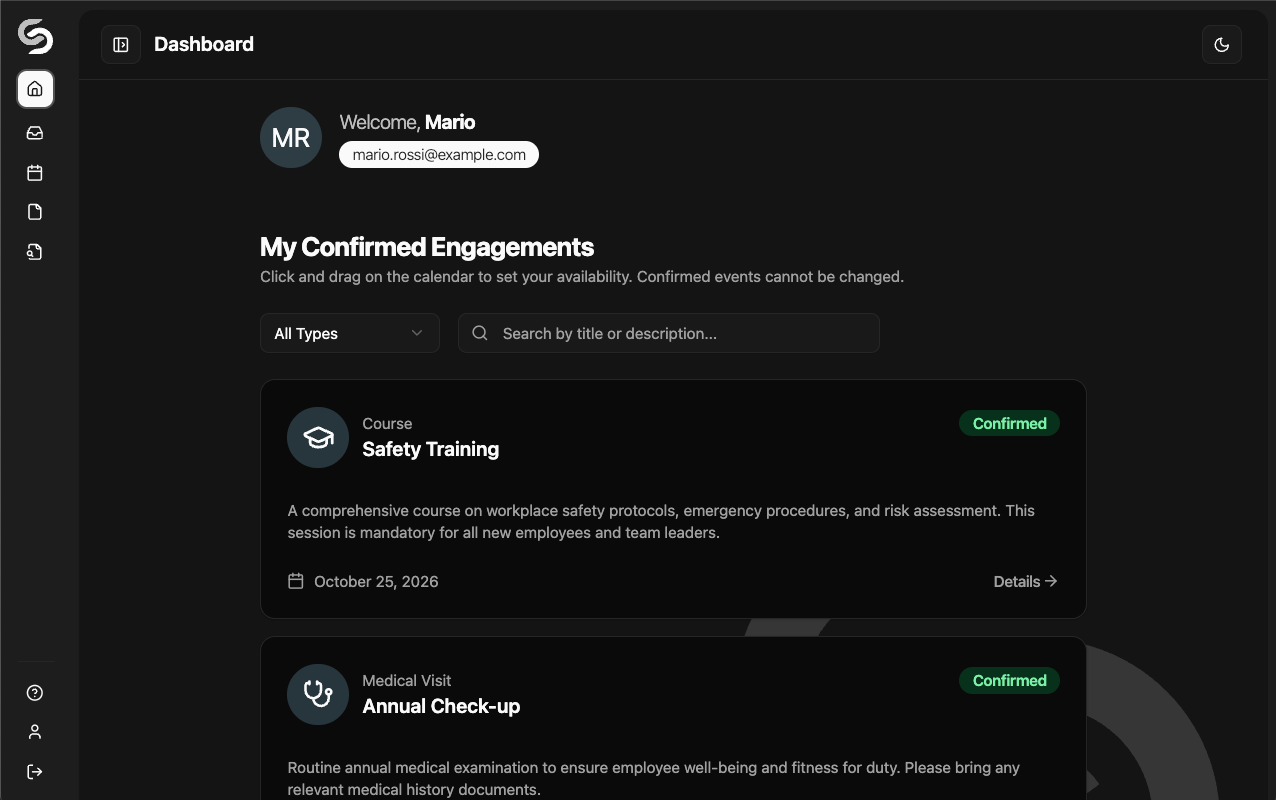
Informative dashboard
The first layer of the system is a screen that changes based on the role of the connected user. It brings together the most urgent tasks, visually grouping upcoming appointments, deadlines and activities not yet planned.
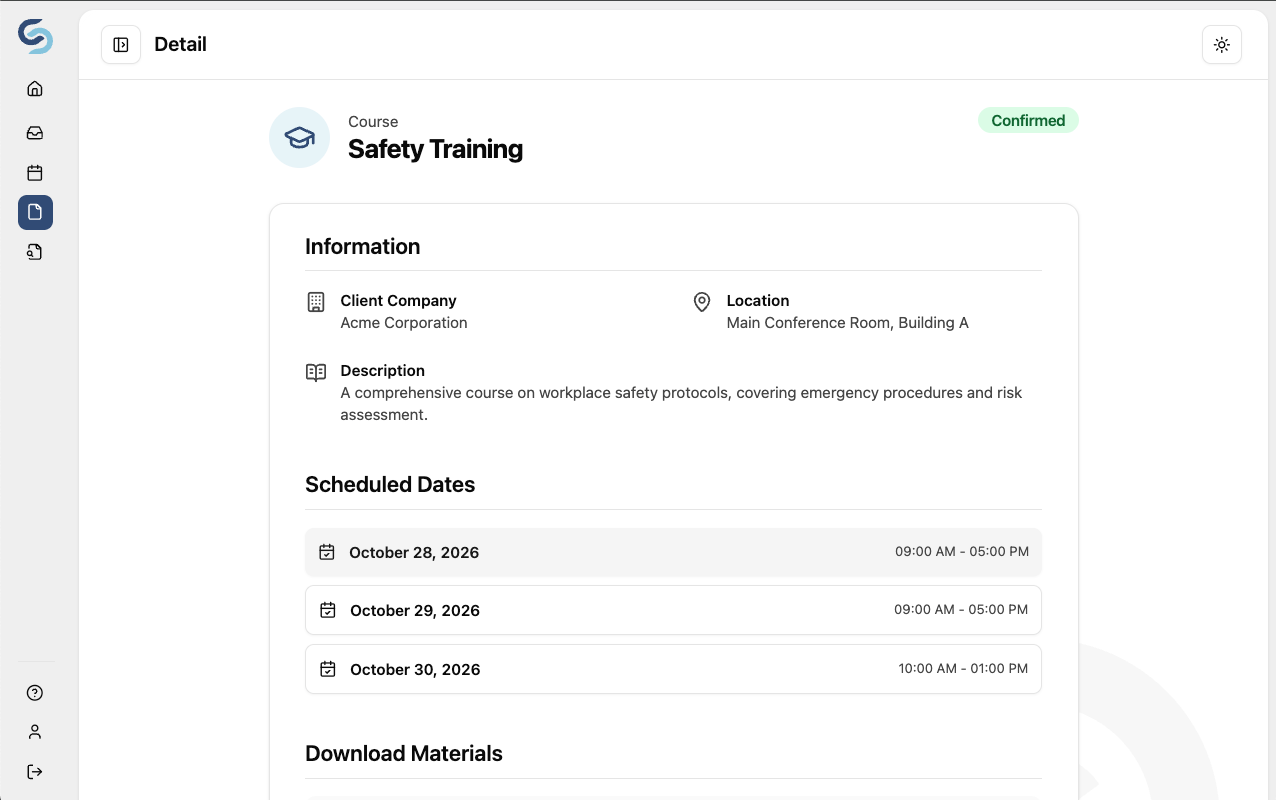
Teaching and courses
In the training and refresher field, a "course" is not a simple appointment. It's a complex logical entity, made of teachers, materials, signatures, legal limits and participants bound by time-based validity. The interface untangles this knot, making schedule, certificates and cross-referenced participants readable at a glance without forcing you to navigate through different flows.
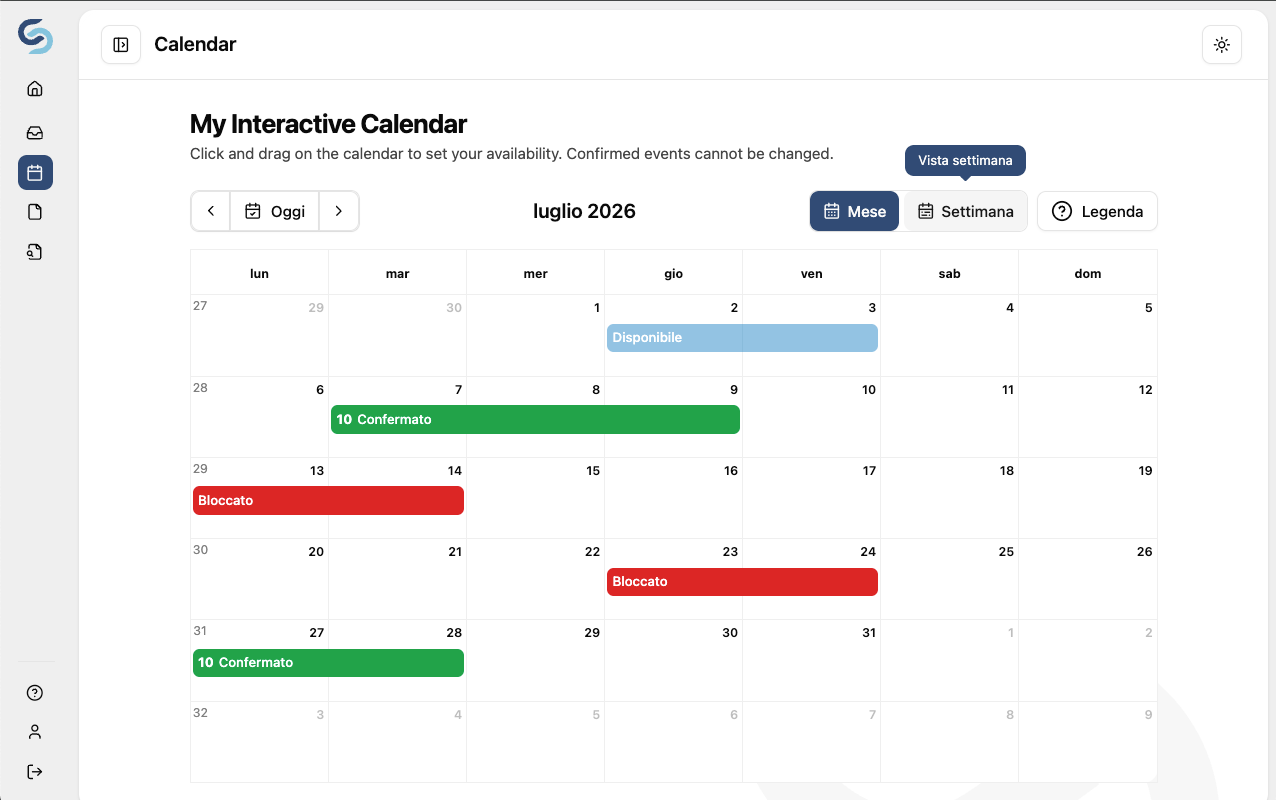
Operational calendar
The calendar view (monthly or weekly) unifies assignments and activities. Built on UX logic that allows drag-and-drop, it reduces friction in the effort of fitting one client with another, thus mitigating problems caused by communications that don't "talk" to each other.
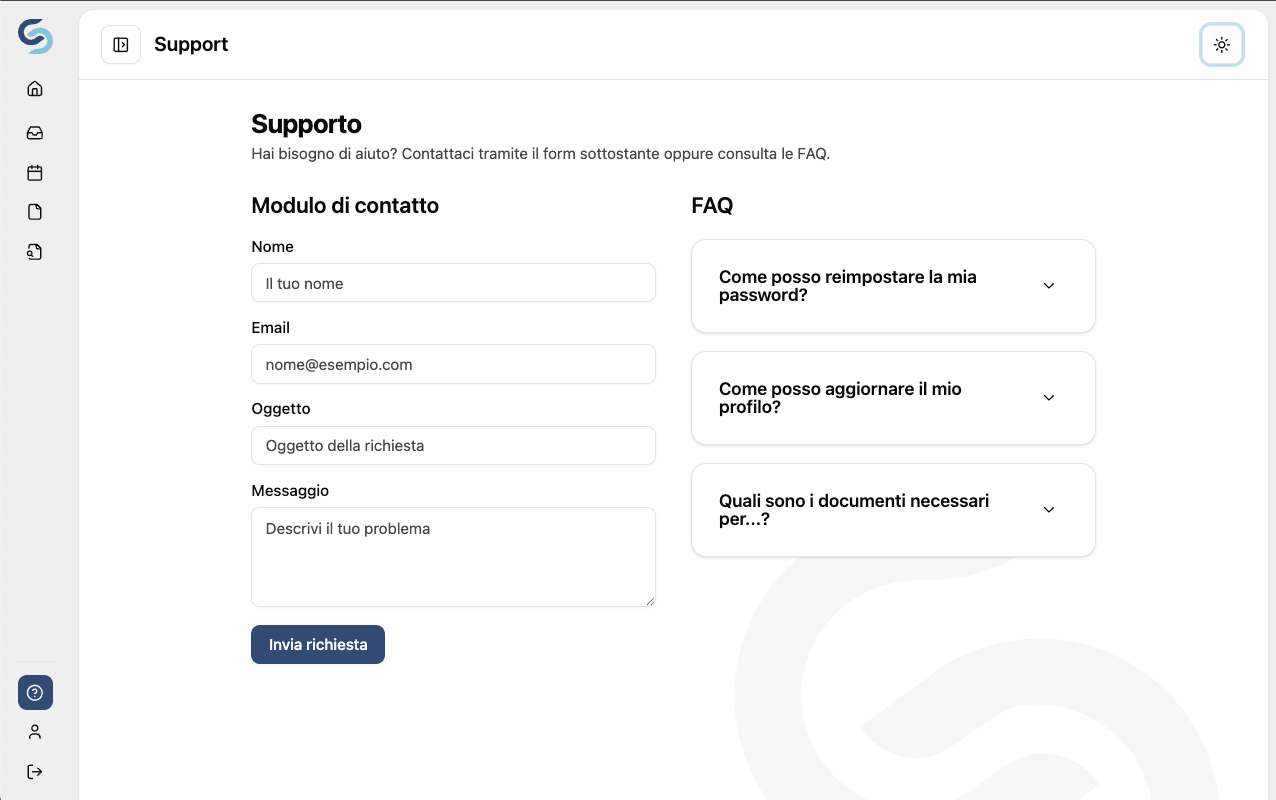
Support module
For any problem or need, the various users can use the internal form to contact the company providing the service. At the same time, it's possible to publish various FAQs.
Do you have similar needs?
Centralizing training courses, regulatory audits and document compliance under a single responsive cloud application turns 'managing operations' into a profitable asset.
Is it complex to adapt desktop views to a smartphone one?
The mobile first technique combined with modern CSS (Tailwind) gives us a flexible framework that doesn't "squash the desktop UI onto small screens", but instead leverages mobile in a different, informative way compared to PC views. This is essential because professionals (external and internal) must be able to act quickly and effectively whether on the move or at their desk.
Can the system be integrated with other company tools?
The architecture is based on RESTful APIs (Node.js + PostgreSQL) and a modular backend framework (Volcanic Minds Backend), so integration with existing systems (such as ERP, CRM, billing tools, ..) is fully supported.
Who owns the source code?
Yours, 100%, with no license fees and no vendor lock-in, in black and white in the contract.
Ownership passes milestone by milestone: every milestone you pay transfers to you the part of the project it covers. It is the premise of the contract, not a concession at the end of the work.
So that you are not tied to us we use standard, documented technologies, and we hand over accesses, repositories and API documentation in Swagger/OAS format.